AI, security, features and new applications
June 12, 2026
ACE 33 is a step forward for smarter, more efficient customer interactions. With AI-powered agent support, stronger security, richer self-service capabilities, and improved tools for follow-up and analysis, this release helps organizations deliver better service while making everyday work easier for agents, operators, and administrators.
Updates in ACE Interact 33
ACE Agent assist in ACE Interact
ACE 33 brings one of the most significant updates ever to ACE Interact, with the potential to enhance both the agent experience and the quality of service you provide.
ACE Agent assist uses top tier AI to transcribe and summarize calls automatically. This offloads the agent from taking notes to focus entirely on the conversation. It also means you can revisit what’s been said in a glance and create a detailed log of contacts in the Interaction view database that has fine-grained access control.
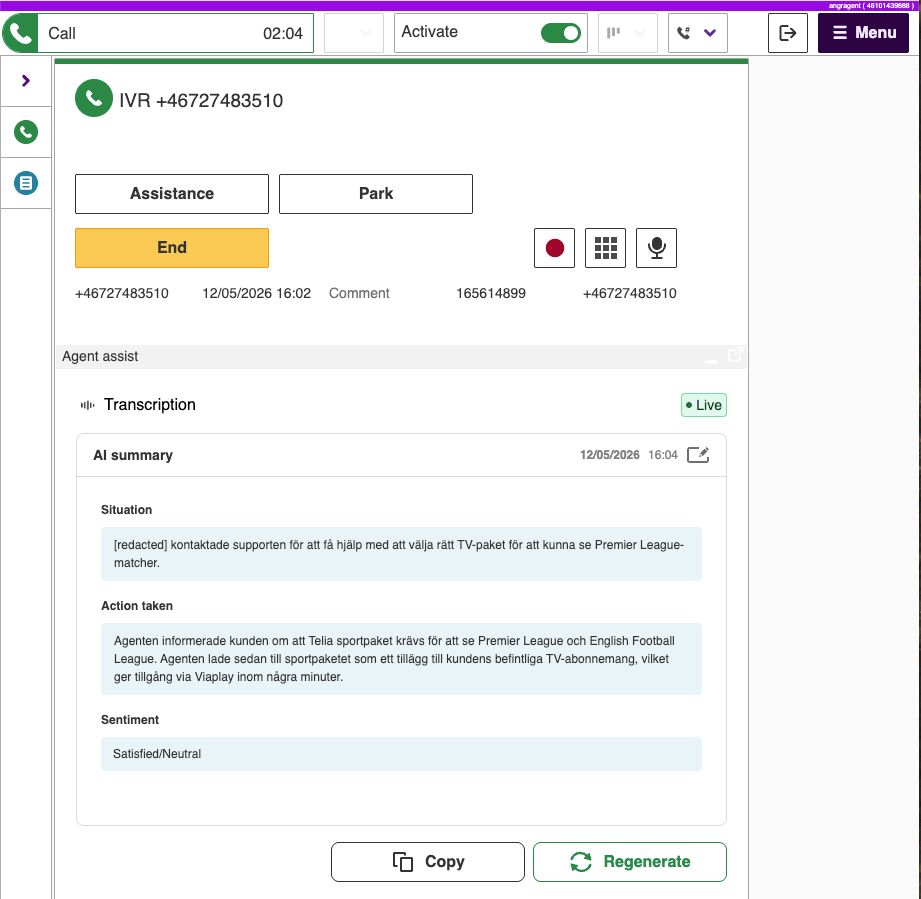
The agent can generate a summary anytime during the call. A summary and the entire transcription is available in the call card when the call has ended, during wrap-up. The summary can also be re-generated and edited manually as the agent sees fit in wrap-up. When the contact is closed, everything is saved and can be found in the Interactions archive.
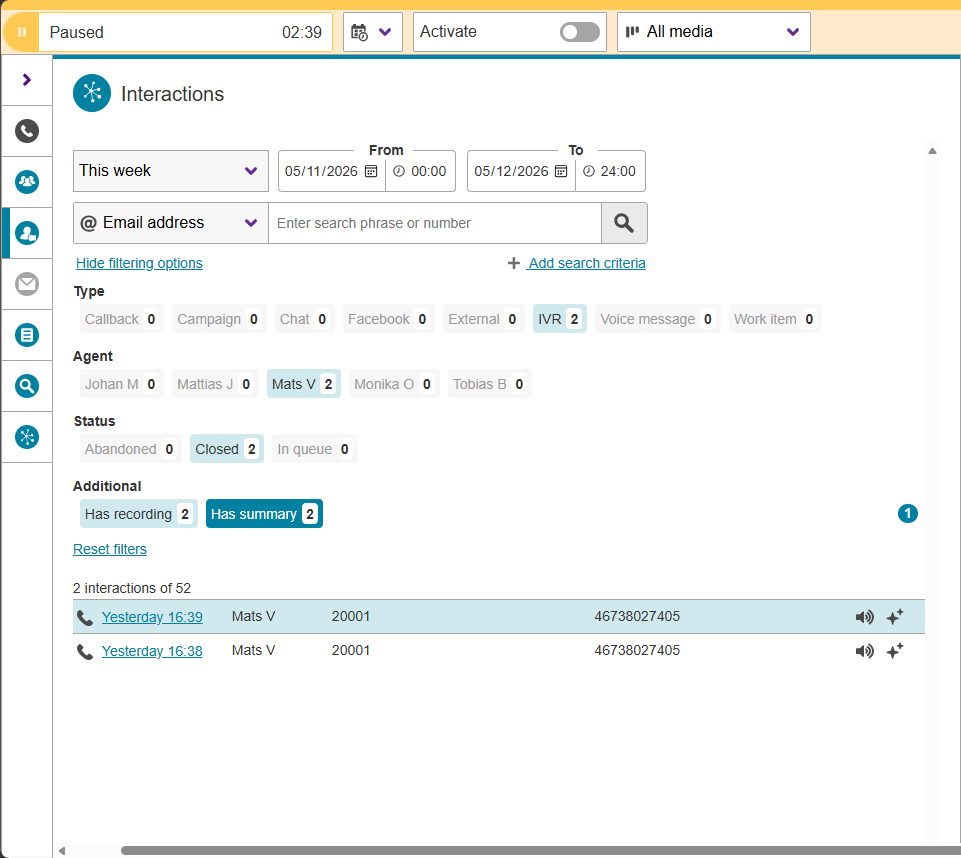
In ACE 33, Agent assist with transcriptions and summaries is available for incoming IVR calls. Transcription is always made in the language spoken and summaries are made in the language chosen by the organization. A new access function is available to control for which roles that agent assist should be available. The AI platform also provides a sentiment, to log whether the person calling was content or dissatisfied.
Improvements to Video and sharing meetings
Video and sharing can greatly improve the quality and usefulness of conversations compared to simply voice or chat. In ACE video and sharing can be used and started in a number ow ways to support different workflows and scenarios.
In ACE 33 several tweaks have been made to strengthen the feature-set further:
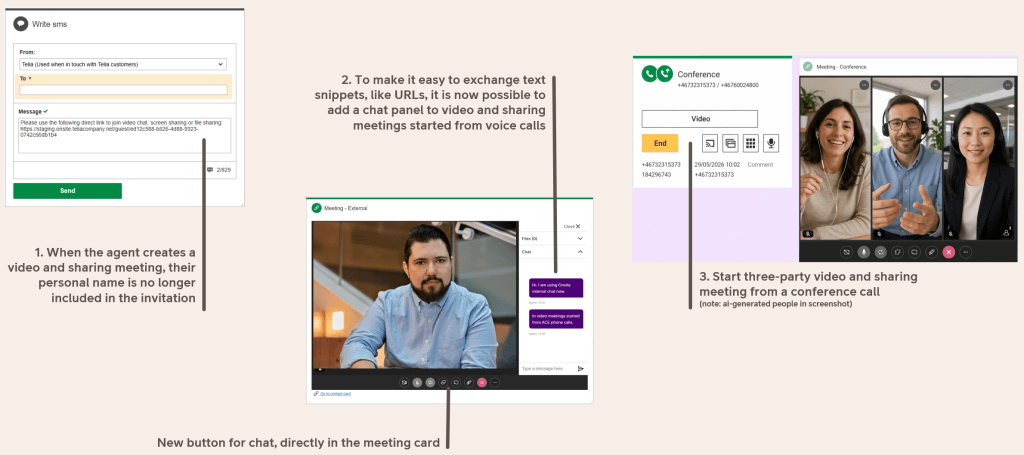
- The agent can start a video and sharing session from a three-party conference call
- The built in chat in the video and sharing widget can be activated at any time. Great for exchanging text snippets like web addresses in a conversation
- For enhanced privacy, the agent’s name is no longer included when making the invitation to join the video and sharing meeting
Configurable layout of the operator Search/call card
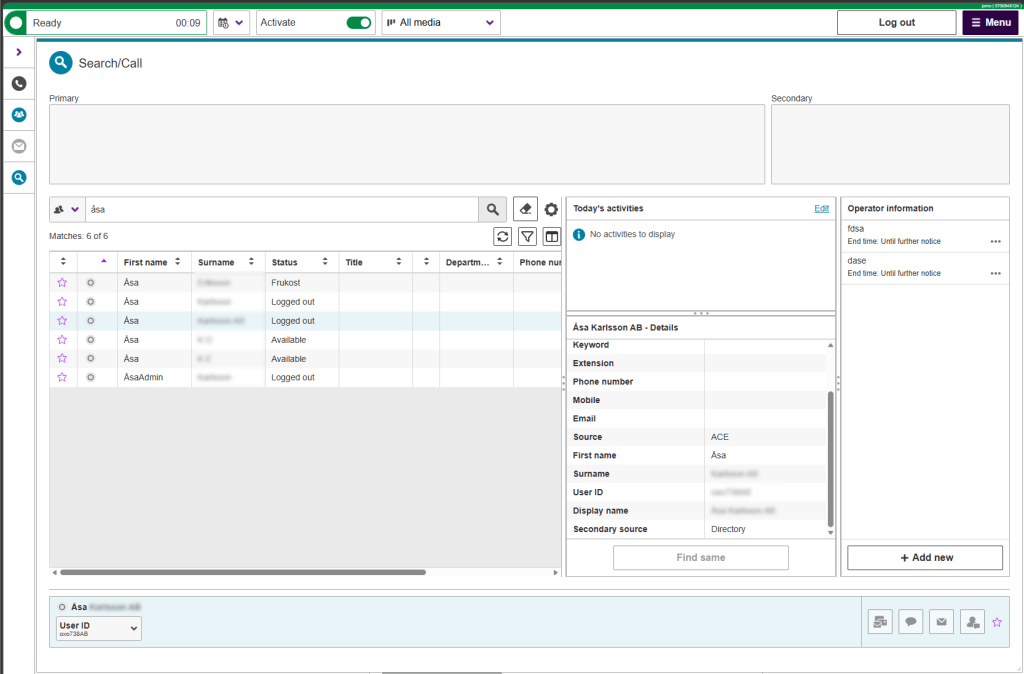
The operator’s work is all about quick access to correct and relevant information. To better support different workflows and allow personal preferences, the operator version of the Search Call card in ACE Interact 33 is more configurable. The relative size of the different fields is configurable by simply dragging dividers between them. This way every operator can adapt the card to suit their workflow and focus.
Updates to eID identification
There are many situations where a conversation requires that the person in contact with an organization confirm their identity. For this purpose and for supporting more use cases, ACE eID Identification gets several updates in ACE 33.
At the agent end, in ACE Interact, there is a new flow for requesting eID identification in an ongoing chat.
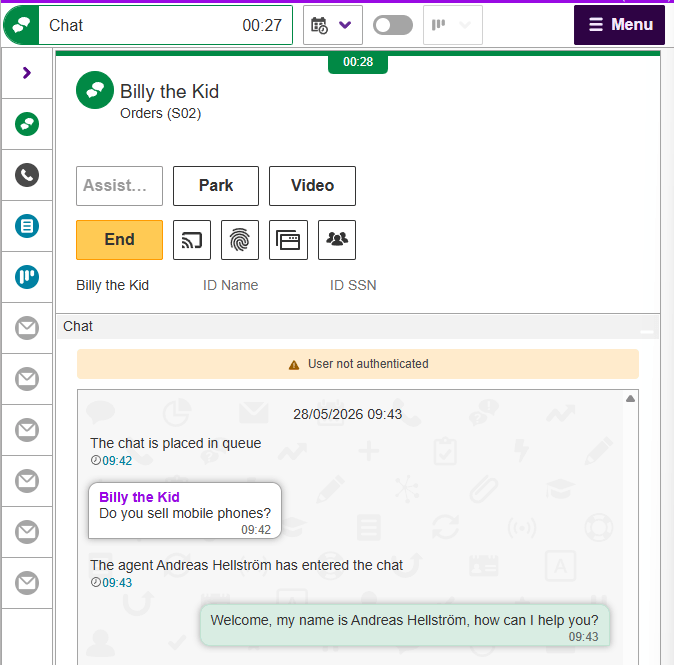
At the end user side, in ACE Conversational Widget, this starts a flow where the user can identify themseld using electronic ID on the same or another device scanning a QR code. In ACE 33 this is available for BankID in Sweden and a number of Finnish eID providers.
Updates in ACE Coach 33
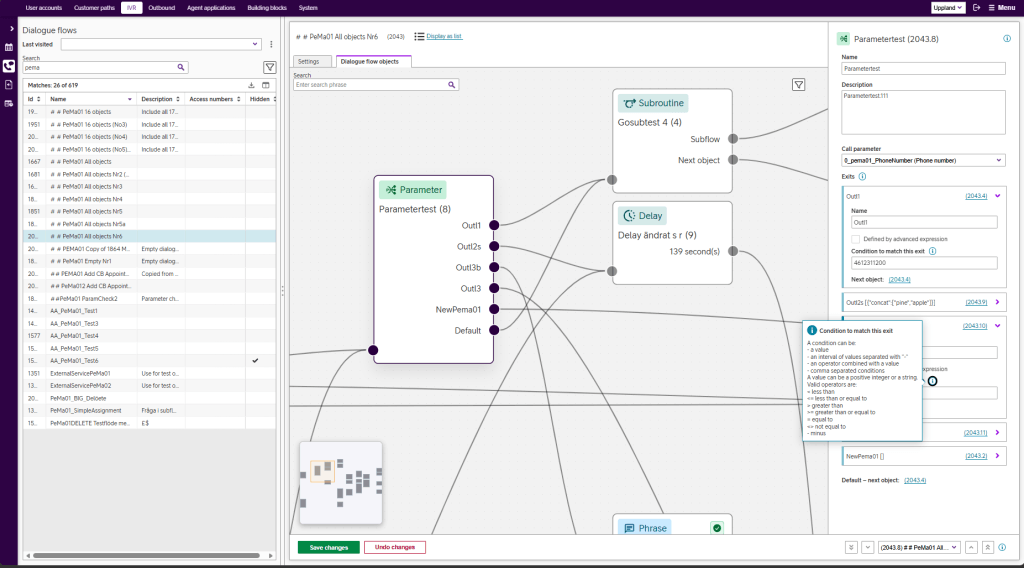
Improved Dialogue flow management
ACE Coach 33 continues adding functionality to Dialogue flow management to make it easier and fasted for organizations to maintain and evolve their IVR flows. To give IVR managers more power, it is now possible to:
- Manage the following object types in full: Input, Goto, Subroutine, Parameter, Percent, Drop, Delay, Counter, Return, Routing and MultiXXT
- Create new dialogue flows. Either empty or from a template that can be inspected before committing
- Duplicate existing dialogue flows and select what settings should be included
Extension management improvements in ACE Coach
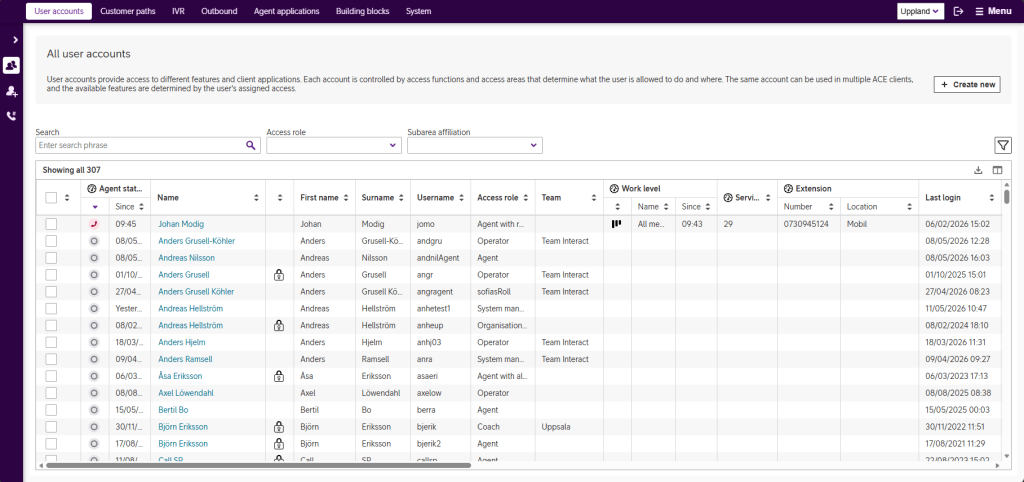
New capabilities for managing extensions improves administration, housekeeping and troubleshooting of telephony resources..
- Real-time visibility of extension usage in the user accounts table
- History of extension usage. When and by whom was the extension last used
- Bulk deletion of extensions
Updates to ACE Knowledge
ACE Knowledge login moves to ACE IdP/ACE IdP Directory
To strengthen security and better integrate with the rest of the ACE suite, user access in ACE Knowledge will be managed using ACE IdP going forward. This facilitates user administration and introduces two-factor authentication (2FA) and single sign-on (SSO).
- User authentication performed by ACE IdP or ACE IdP Directory, for federated or standalone user management
- ACE Knowledge truly integrated with the rest of the ACE suite. One login for all apps that you have access to, with no need for a separate account or credentials
- Administrators manage users and application access for ACE in one place, ACE Portal
- Native multi factor authentication for added security
Updates to ACE Virtual Agent
Improved use of content from ACE Knowledge in ACE Virtual Agent
Use images and files in ACE Knowledge as source for ACE Virtual agent.
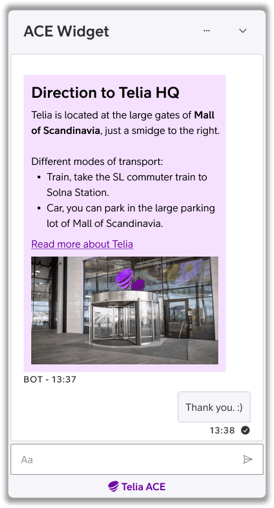
Lets the virtual agent provide richer, more helpful answers to customer questions in ACE Conversational widget chat.
Allows for reusing existing guides, including their linked files and images, when exporting to a Google data source, so that guides can be leveraged by ACE Virtual Agent without losing context or assets.
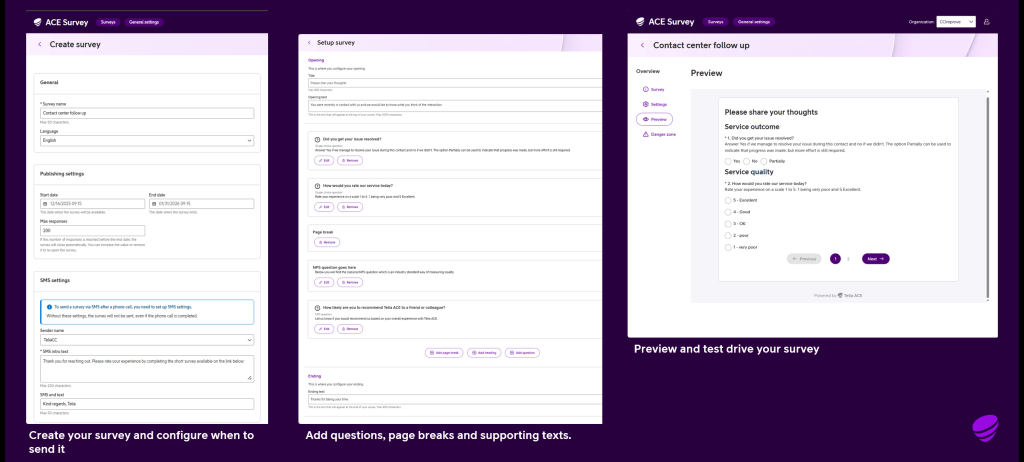
New application ACE Survey G2
With ACE 33 comes an all-new application for building, distributing and managing surveys to follow up contacts.
The ACE Survey G2 web application lets you build and control surveys that go out after contacts managed in Telia ACE. Features and benefits include:
- Focus on SMS-distributed web surveys. Easy for respondents with higher answer rates than calling back
- High security, building on ACE Idp for SSO (single sign on) and MFA (multi factor authentication).
- Integrated with ACE access system (separating big organizations into access areas)
- Modern web GUI for management and survey design aligned with the Telia ACE look and feel
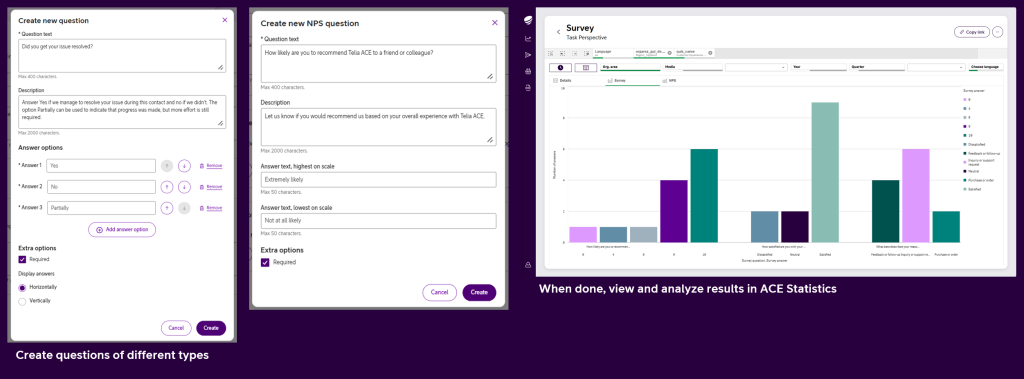
- NPS and single choice questions on launch. Multi choice, free text will be added
- View and analyze results in ACE Statistics. Get the big picture or drill into details
Updates to ACE Statistics
ACE Statistics general availability
With the release of ACE 33, the user-friendly web application ACE Statistics, made for daily follow up of contact center metrics, reaches general availability. It is also further developed with new functionality for operator statistics and granular access control.
Access functions can be applied separately to give individual access to the different perspectives: Agent, Campaign, Queue, System and Task. This way, the risk of exposing sensitive data can be further minimized.
Benefits of ACE Statistics include:
- Access managed in ACE IdP making provisioning easy and provides strong but user-friendly authentication
- Integration with ACE access model. See only the data belonging to subareas that you have access to
- Easy and secure sharing of filtered views. Simply share the link, and the recipient only sees the data they have access to
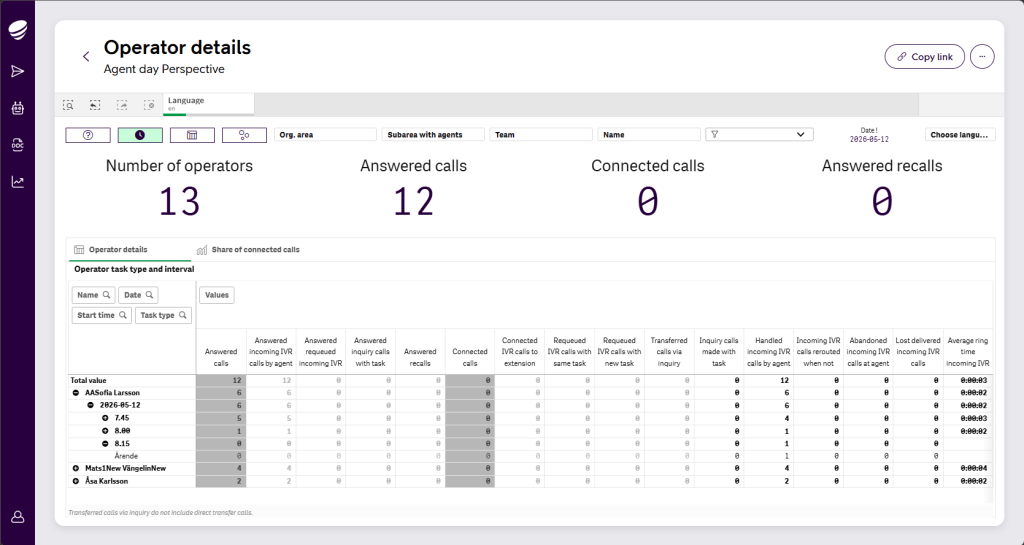
Operator data in ACE Statistics
Operators have a unique set of metrics and data. Now they are available in ACE Statistics on Operator specific sheets in the Agent and Task perspectives.
Please refer to Release notes for Telia ACE 33 and Release Notes for individual sub products for detailed technical information, requirements and considerations. These documents are available on request from your Telia contact.
Important notes for Telia ACE 33:
Platform & upgrade impact
- In ACE 33.0 a newer version of Erlang is used. Upgrade to a newer Erlang version requires recompilation of customer specific Erlang code when upgrading.
- Changes to session handling (moved to CGADM database).
- See release notes for Chat Engine for information about authenticated chat changes.
- See release notes for ACE Databases for information about new system parameters, access functions and contact data keys.
- Additional Notes
- ACE Statistics can be reloaded and published regardless of the version of ACE Core but see release notes for ACE Statistics backend for information about functionality that requires data that was not available until certain versions of ACE Core
- Recommendation is to use latest version of client applications. Older versions are in some cases possible to use during a transitional period but upgrading as soon as possible is recommended.
- ACE Admin versions 22 or newer.
- ACE Coach: only version 33 is supported.
- ACE Report versions 12.0.0 or newer (*).
- ACE Pulse versions 12.0.0 or newer (*).
- (*) Note that, if single sign-on is used, ACE Pulse 21.0 or newer and ACE Report 21.0 or newer are required.
- ACE Interact versions 25.0.3 or newer.
- ACE Monitor versions 24.1.0 or newer.
- When upgrading ACE Database to 33, all users of ACE Coach, ACE Interact and ACE Monitor will automatically start using the new version at next login after upgrade:
- Primary and secondary version is set to “” for ACE Coach
- Primary version for ACE Interact is set to “”. Secondary version is set to “32.*”
- Primary version for ACE Monitor is set to “”. Secondary version is set to “24.*”
- If upgrading from an version older than ACE 32, it is strongly recommended to read release notes for all intermediate versions. For instance, if upgrading from ACE 29 to ACE 33, first read ACE30ReleaseNotes, ACE31ReleaseNotes and ACE32ReleaseNotes.